


- Wappalyzer
- Loom
- Todoist
- Speechify
- Ghostery
- Dashlane
- Save Image as Type
- Grammarly
- Otter.ai
- In Conclusion
Today, we’re sharing 9 top Google extensions with the HostPro IT community to help you optimize your workflow. You’ll be surprised at how much you can improve your search, development, and browsing experience with just a few clicks.
Google Chrome has thousands of extensions, and their functionality is virtually endless—from ad blocking to boosting productivity. They’re usually free, and you can easily find them in the Chrome Web Store. We’ve simplified your search so you can find everything you need in just one article. So, here are the 9 best Chrome extensions to make your life much easier from this day forward.
Wappalyzer
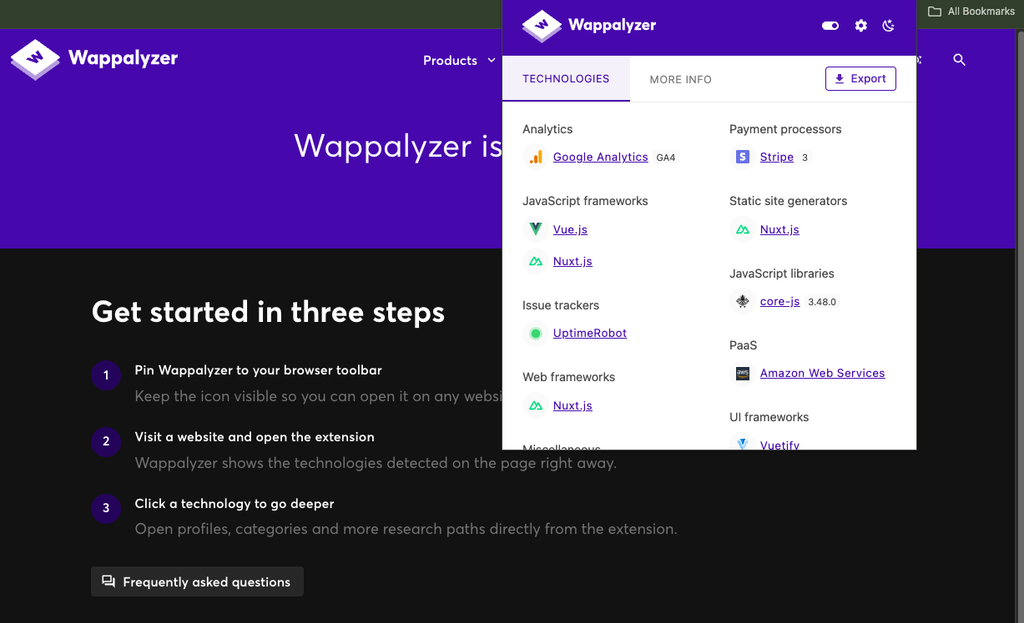
Best extension for quickly identifying the technologies behind any website.
This extension helps identify the exact technologies used on a website: CMS, programming language, JavaScript framework, web server (versions and software), analytics tools, and more.
You can quickly get a sense of a website’s key features. For example, if you’re planning to create a similar website or need to conduct quick market research, you can check out the plugins, advertising tools, or tag managers your competitors use. By the way, it’s worth taking a closer look at their websites. They also offer plenty of tools to help you analyze your competitors.
They also offer a paid plan for $10 per month that provides additional company data, such as its size, industry, location, social media accounts, and more.
Loom
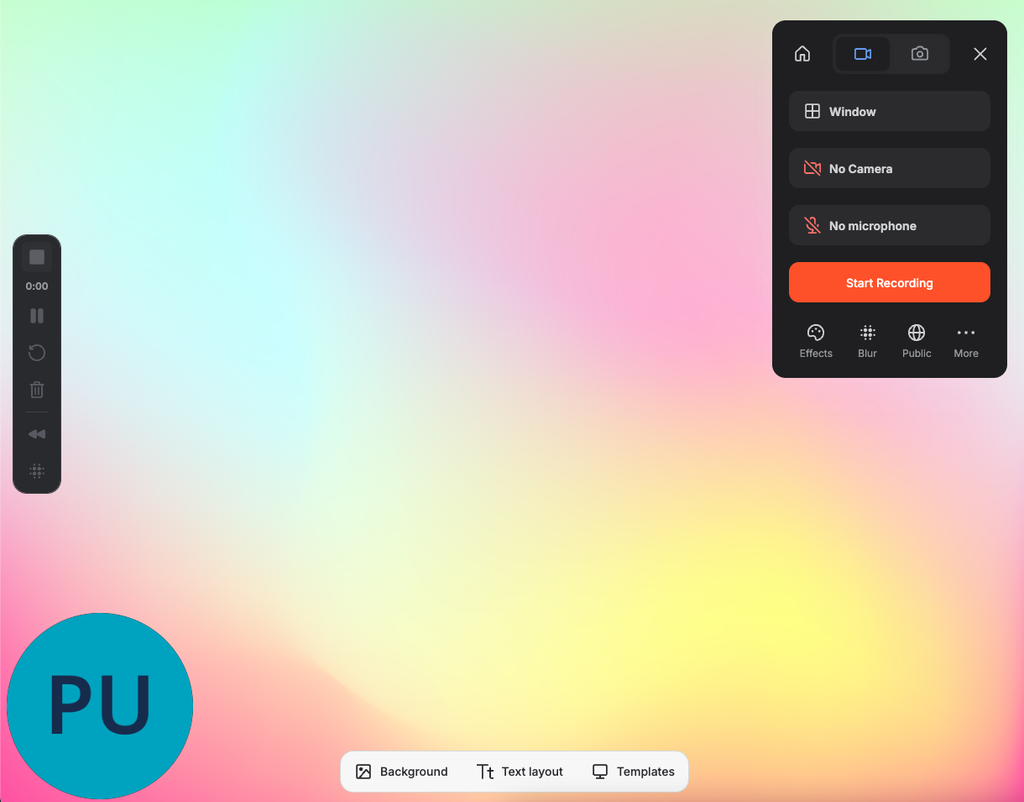
The best extension for short tutorial videos and announcements that don’t require real-time discussion.
If you need to record a tutorial video or inform your colleagues about important changes but you’re a bit of an introvert, Loom is the best option for both tasks. Unlike traditional online conferences, Loom was designed for asynchronous communication. This extension lets you record your screen, microphone audio, camera feed (so anyone watching the recording will see you in the lower-left corner of the screen), and any background audio (for example, if you’re playing a video). However, Loom has many more features; in my opinion, the most useful is the ability to send a link to the video to another person, who can watch it without downloading.
Another great advantage of Loom is its pricing structure. The service offers four plans to suit any customer’s needs:
- “Starter”—free;
- “Business”—$18 per month;
- “Business + AI”—$24 per month;
- “Enterprise”—custom pricing.
However, Loom is not a full-fledged replacement for other online communication tools. If you need a full-fledged discussion, a brainstorming session, or something similar, tools such as Microsoft Teams, Zoom, or Google Meet may be a better choice.
Todoist
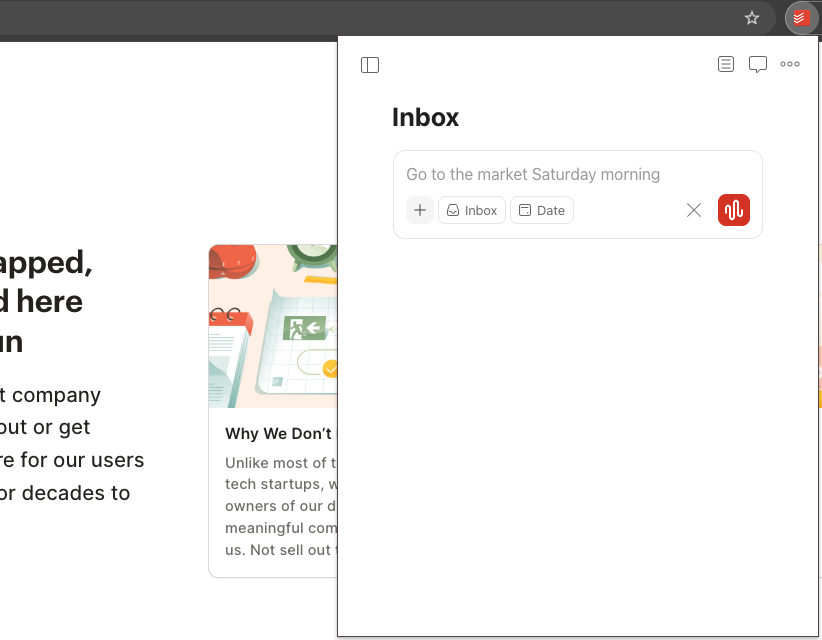
Best extension for quick task planning.
This is an essential tool for anyone who writes plans and tasks on digital devices or wants to get more organized. Todoist helps you quickly add tasks, manage projects, and lead a few of them separately.
My favorite Todoist features are customizable reminders that help me track meetings and its integration with Google Calendar and over 90 other services. You don’t need multiple services to organize your entire life — the Todoist planner is everything you need.
They also offer very affordable pricing plans. The “Starter” plan is free and lets you manage 5 personal projects. The “Pro” plan is $5 a month and includes 300 personal projects and many additional new features, such as client reminders or automatic backups. Finally, there’s the “Business” plan, which costs $8 per month and is primarily designed for team projects; with this plan, you get 300 personal projects per team member and other useful features that any team really needs.
Speechify — Text to Speech
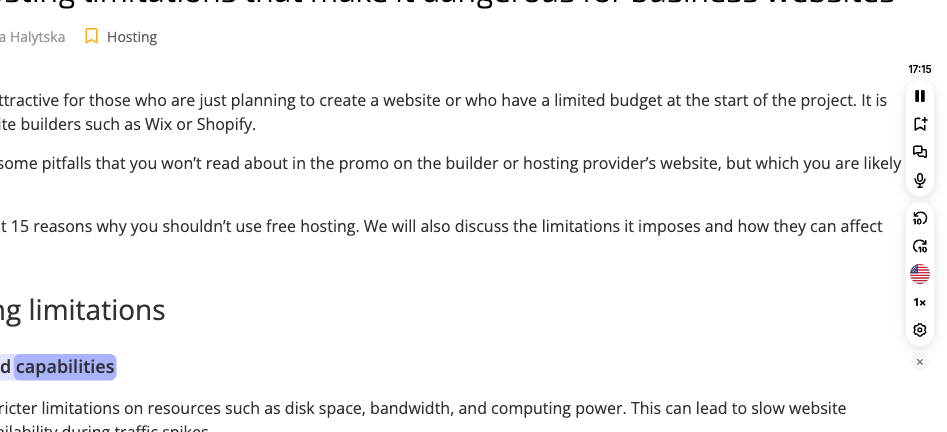
Best extension to listen to web pages instead of reading them.
Nowadays, many people prefer listening to information to reading, and Speechify helps them do just that. Most websites still don’t offer a built-in feature to listen to articles. This is where Speechify comes in handy. After installing and logging in, open the website or article you want to listen to and click the corresponding icon in the “Extensions” menu. That’s it! 🤩
However, text-to-speech isn’t the only service Speechify provides; you can also use it to create summaries, transcribe speech to text, and ask AI models for explanations if something isn’t clear.
One more thing to keep in mind: Speechify costs a bit more than the previous extensions. They offer a free plan, but it has far fewer features than the premium plan, which costs $29 per month. Although you know what you’re paying for—since they offer a 7-day trial—you can test all the premium features and decide whether to continue using the service.
Ghostery
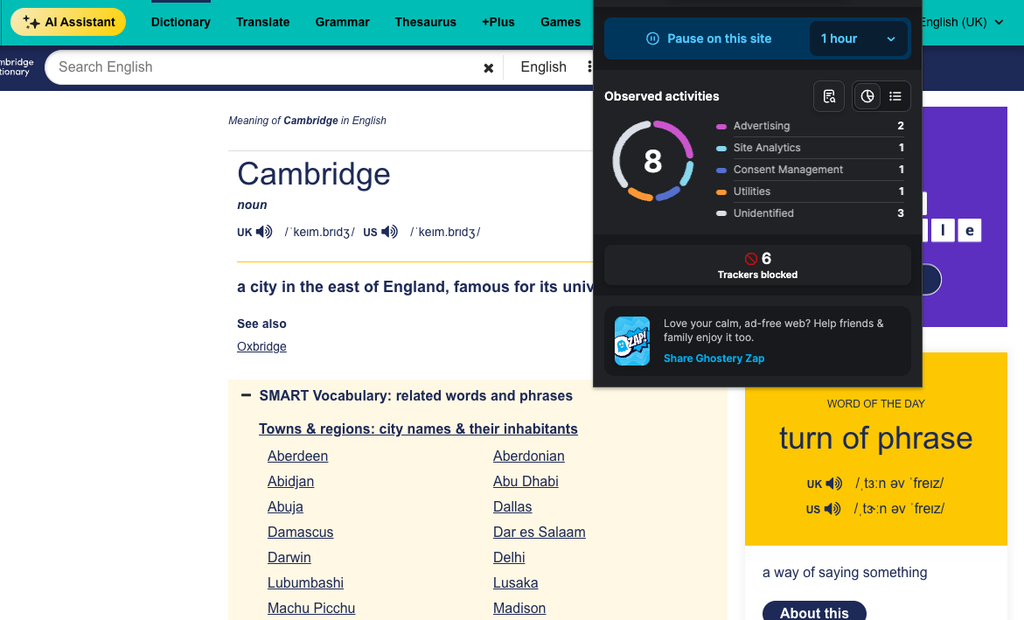
Best extension for Google Ads blocking and cookie management.
Good ad blockers are a dime a dozen, but Ghostery is your invisibility cloak on the web. From personal experience, it’s the best: it blocks ads, trackers, and other privacy-invading elements from third-party domains on websites. The extension also shows the trackers it blocks, so you can see exactly what data is being collected about you.
One of Ghostery’s biggest advantages is its pricing — there are no paid plans because the extension is completely free. The project is funded through donations and merchandise sales.
Dashlane — Password Manager
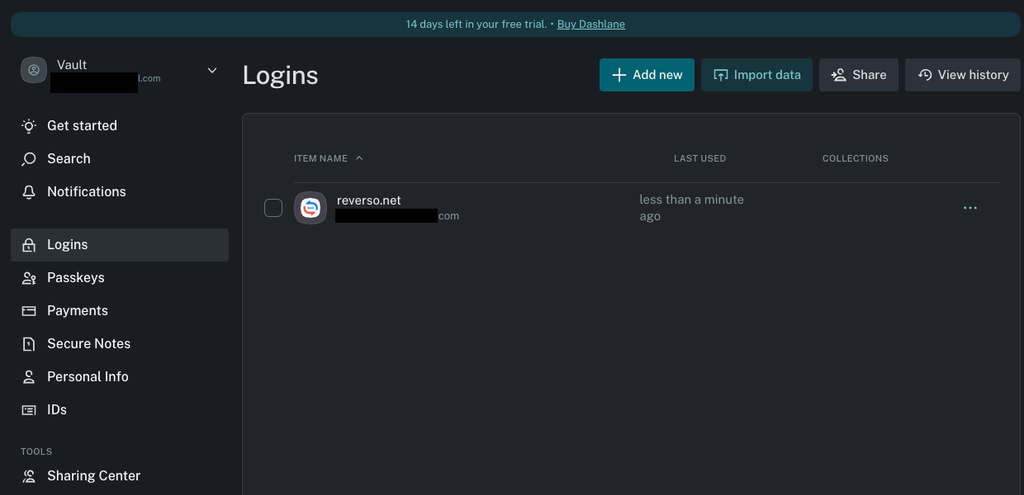
Best extension for storing all passwords in one place
Most people forget their passwords. I’m certain of that. That’s exactly why the Dashlane password manager is an indispensable tool for people like us—it lets you store all the important information you always forget.
Once you install and log in, you’ll see a dashboard that lets you import all your passwords from other password managers or CSV files. In addition, there are folders for storing other types of sensitive information, such as payment details, where you can keep all your credit card information; secure notes for storing and safely sharing your most confidential information, such as personal details (addresses, email addresses, phone numbers); and you can also store information from documents (tax ID, ID card, passport, etc.).
Save Image as Type
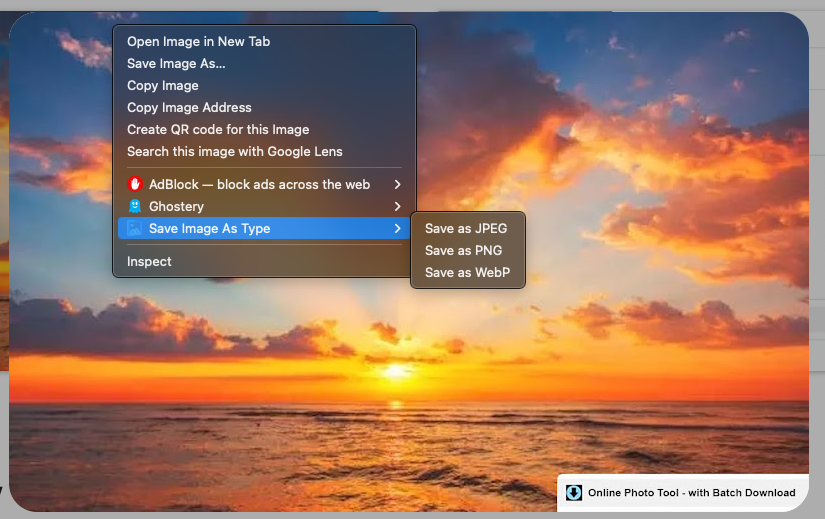
Best extension for saving images in any format
Save Image as Type eliminates a tedious step — using a separate image converter. This extension lets you choose the format you want to download images in: JPG, PNG, or WebP.
Moreover, this extension is completely free with no restrictions or hidden fees.
Grammarly
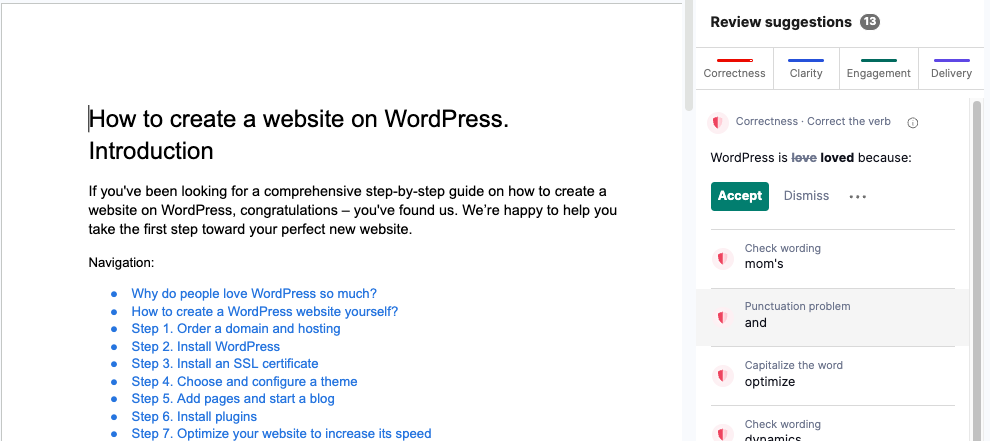
Best extension for checking any text’s grammar
The Grammarly extension is an indispensable tool for checking the spelling and style of English texts. It works flawlessly in the background while you use various services such as Gmail, YouTube, Jira, Google Docs, Salesforce, and the most popular social media platforms. It instantly suggests corrections for grammar and spelling errors. Also, Grammarly helps you adapt sentences to your text’s style and correct them with a single click.
In addition, Grammarly offers a free plan, a Pro plan costing $12/mo when billed annually or $30 per month, and Enterprise with custom pricing.
Otter.ai

Best extension for turning online conversations into text
Otter.ai transcribes audio using a built-in AI-powered chatbot. This extension is indispensable for Zoom or Google Meet meetings. You can also use it to record conversations with clients or your team. If any participants miss something, the chatbot can answer questions that come up during the meeting. It currently understands several languages, including English, Spanish, French, German, Japanese, and Simplified Chinese (Mandarin).
Otter offers four pricing plans: Free, Pro for $8.33 per month, Business for $19.99 per month, and an Enterprise plan with a custom price for each client.
In Conclusion
We hope this selection of extensions—tried and tested by millions of users—will simplify your user experience and:
- save you time searching for important software information (Wappalyzer);
- easily record and share your screen (Loom);
- quickly organize tasks, manage deadlines and projects (Todoist);
- protect your user data and block ads (Ghostery);
- keep all your passwords in one place (Dashlane);
- save images already in the format you need (Save Image as Type);
- help you write in English without fear of mistakes (Grammarly);
- transcribe your meetings with colleagues or clients (Otter.ai).
If you still don’t know where to host your own or your clients’ websites, come to us at HostPro. Your project deserves good hosting.
Not satisfied with your current hosting provider? We’ll be happy to migrate your website to our servers quickly and free of charge. Just submit a request, and we’ll select a plan tailored to your needs and handle the migration work.