


What should a user do if they encounter Error 502?
What should a website administrator do?
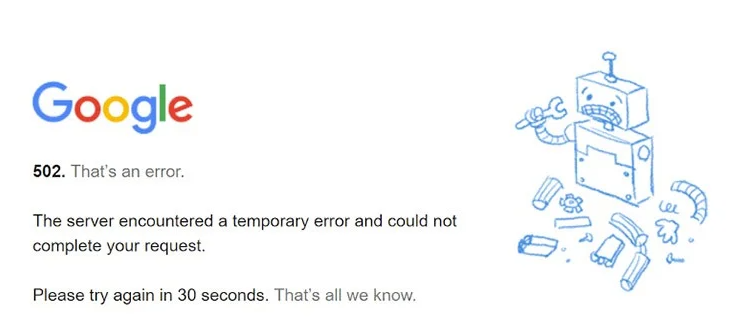
5xx errors indicate server-side issues. Specifically, a 502 error refers to an HTTP status code that occurs when one server does not receive a valid request from another server.
For example, on a hosting server, an Nginx web server is positioned in front of the Apache web server. If Apache fails to process the request, it signals this to Nginx. Consequently, Nginx returns an error to the client.
In this article, we’ll explain in detail the causes of the 502 error and what both users and site administrators should do to resolve it.
Causes of the 502 Error
There are several reasons that can lead to a 502 Bad Gateway error. Here are the most common ones:
- Increased server load, resulting in resource shortages.
- Server configuration limitations. Limits set on the processing of concurrent requests, request execution time, or the maximum number of connections to the server. For example, if the limit on the number of connections to Apache or Nginx is too low for the current load, the server may not be able to process all incoming requests, resulting in a 502 error. Additionally, incorrectly configured timeouts between Nginx and Apache can also trigger an error if one server waits for a response longer than the configuration allows.
- A hacker’s DDoS attack could result in your access to the site being blocked in the Nginx configuration.
- Errors in the site’s code. If certain functions or other lines of code are incorrectly written on the site, this can cause a 502 error. Also, pay attention to plugins, especially if you’ve recently installed new ones.
- Network issues. A dropped connection or routing problems.
- DNS issues. Incorrectly configured DNS servers can trigger a 502 error.
- Browser issues. On the user’s end, the problem may be caused by the browser. Installed extensions are usually the cause.
What should a user do if they encounter a 502 error?
Before contacting the site administrators, the user can check whether the 502 error was caused by an issue on their end.
Reload the page
Quite often, the 502 error resolves itself after a short period of time. For example, while the site was loading, the number of requests exceeded the limit set by the site owner. You can wait a few minutes and try reloading the page. If the problem persists, proceed to the next steps.
Check your internet connection
Try loading other pages and make sure you have a stable internet connection. Check your modem, restart your router, and then try accessing the problematic website again.
Clearing the cache and cookies
Incorrectly loaded cache and cookies can also cause a 502 error. In such cases, simply clear the data in your browser settings.
Clearing the DNS Cache
Suppose an incorrect IP address has been stored in the cache. In that case, you need to clear the DNS cache. The procedure varies depending on the operating system.
In the Windows command prompt, enter
ipconfig /flushdnsOn a Mac, open the Terminal app and enter the command
sudo killall -HUP mDNSResponderЯкщо у вас Linux, то також потрібно відкрити вікно терміналу. Команда, яку потрібно ввести, залежить від дистрибутиву
Ubuntu:
sudo service network-manager restartOthers:
sudo /etc/init.d/nscd restartAnother browser
If you have the option to use a different browser, please do so. The issue may be specific to your current browser.
Plugins and extensions
Various plugins and extensions installed in your browser may be causing the 502 error. Disable them one by one to identify the culprit.
If none of the above methods worked, the cause of the error is on the server side. Do you have the website administrators’ contact information? Let them know about the problem. Or you can wait until they resolve it themselves and come back later.
What should the website administrator do?
In such cases, it’s usually best to contact the hosting provider’s technical support right away.
However, you can try a few steps on your own.
Checking the error log
If the error appeared after making certain changes or updates, checking the error logs can help you determine what the problem is. Then, based on the data obtained, you can decide how to fix the error.
Checking Plugins
One of the installed plugins may be affecting the site’s performance. Try disabling them one by one by renaming their folders. If the error disappears, you’ve found the cause.
Checking the Content Delivery Network (CDN)
Make sure your server’s IP address is configured correctly. To do this, contact your CDN provider.
In conclusion
A 502 Bad Gateway error is usually a temporary issue. But if it doesn’t go away on its own, you can always contact our dedicated tech support team. They’re ready to help 24/7.
Order ultra-fast NVMe Hosting from HostPro to speed up your website by 8 times. Every plan includes a powerful 5 GHz processor, DDoS protection and daily backups.