


How long does it take to migrate an account from one server to another? This is a question that concerns many users, since the website will be down for a certain period of time while files are being migrated to the new host.
At the same time, it’s important to understand that transferring websites from one server to another is a critical task that requires considerable care and attention from technical support.
After all, it’s not enough to simply transfer all the data; the website must also be properly configured so that it runs smoothly and as quickly as possible on the new hosting provider.
How and where do I submit a request to migrate my website?
Please note that to migrate your website to HostPro’s servers, you must first submit a request to technical support. You can do this by following this link . There are several migration options: you can either provide an archive of your website and database or provide access to your current hosting control panel.
Next, select a plan or click “Can’t decide” if you haven’t made up your mind yet. Our support team will receive your request immediately, contact you to discuss the details, agree on a migration time, and—if needed—help you choose a plan that fits your needs. Migration can be scheduled for overnight to minimize downtime for your site.
And to make your transition easier, we’re giving you a free month of your chosen hosting plan as a housewarming gift.
What has the greatest impact on the time it takes to migrate a website?
To migrate a website, technical support or the website owner themselves need to perform several tasks, such as preparing and transferring all the website files and databases, among others. That is why site migration can last from less than an hour to 24 hours and sometimes even more. It mostly depends on a few factors, like:
- CMS occurrence, number of plugins, and content in the media library. For instance, clear HTML sites are transferred more quickly than CMS websites, even if they seem to be pretty small and easy.
- Obviously, the more files and information in databases you have, the more time a site needs for migration.
- Email accounts also need to be transferred. Sometimes it even takes longer than a website migration, especially when transferring multiple accounts, large files, or an extensive number of messages.
- Migration time can also increase due to the overload of an old server. During the migration process, the old server reads all the data before it can be transferred to a new server. Therefore, if the hosting environment is slow due to overloading, the entire migration process will be slow.
- If your current hosting has very limited CPU, RAM, or I/O limits, it can lead to transfer slowdown. During the migration process, operations such as database exports and archive creation consume significant resources.
- Some hosting providers, for some reason, limit backup generation speed, archive size, and the number of simultaneous FTP connections on their shared hosting.
All of these reasons form the amount of time needed for your website migration. To better understand the whole process, let’s look at it more closely.
How long does It Take to Transfer a Website to Another Hosting Provider?
To accurately estimate how long the website transfer will take, let’s use three average accounts from a Linux server as an example: 20 MB, 500 MB, and 2 GB.
First, we’ll back them up to see how long it takes to back up the website data (files and database).
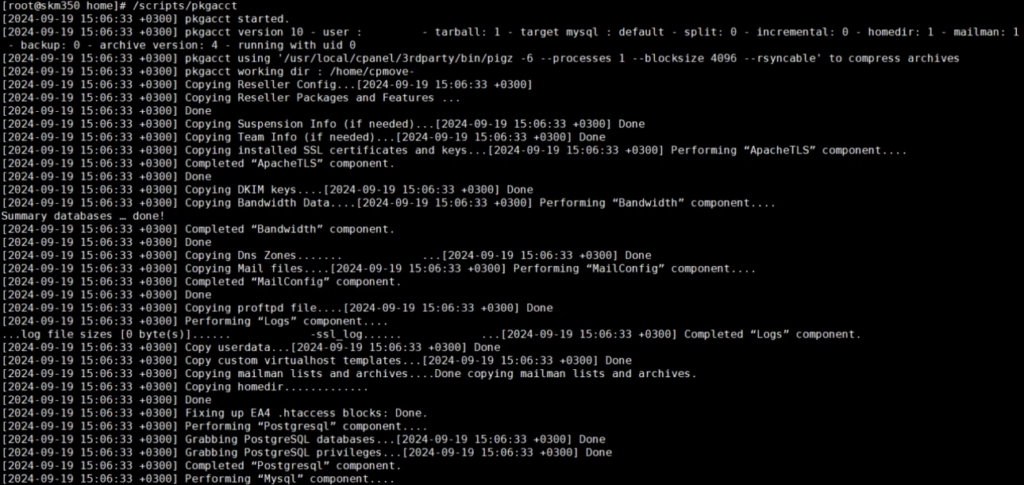
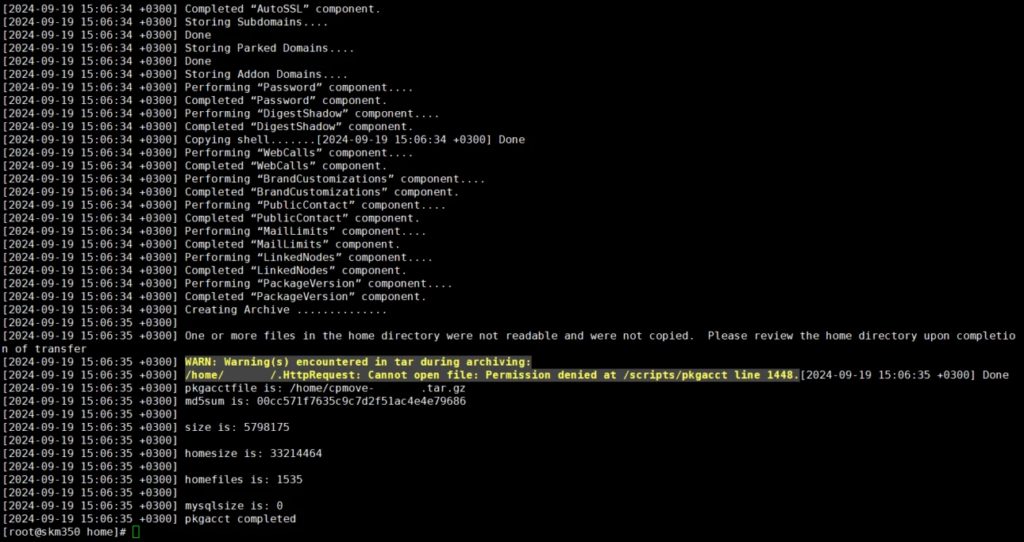
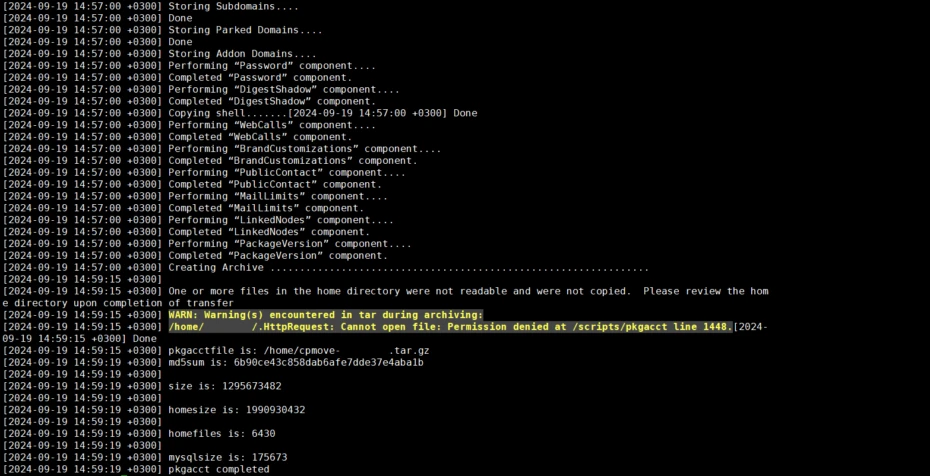
As a result, we see that the process of backing up the 20 MB account took 3 seconds.
Next, we backed up a 500 MB account. This process took 1 minute.
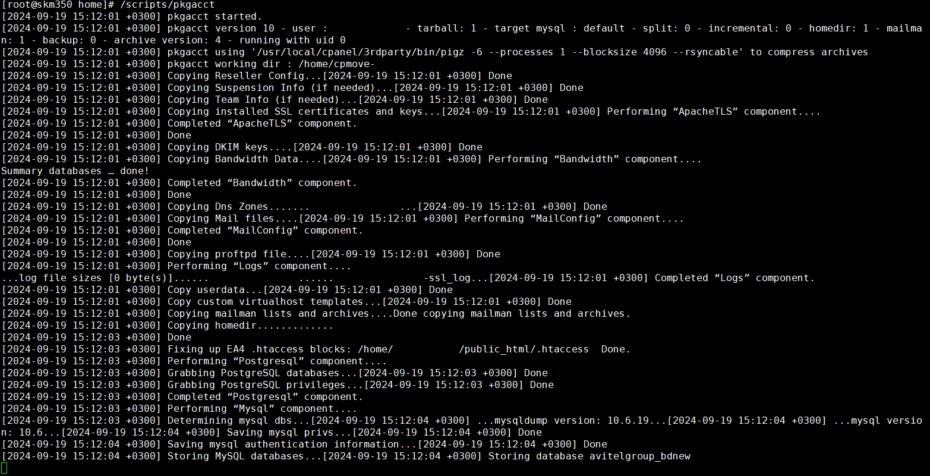

And the largest 2 GB account was successfully backed up to the server in 3 minutes. Proof in the screenshots 🙂
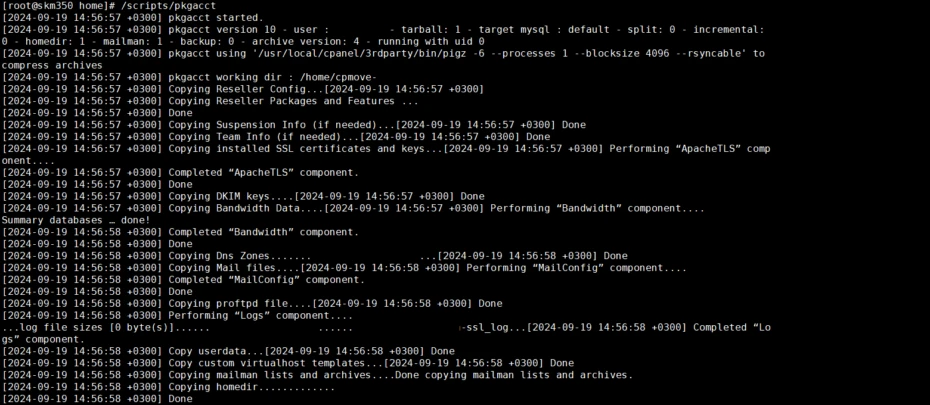
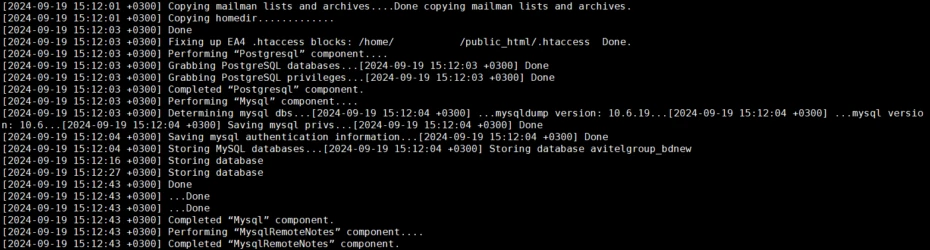
And this screenshot shows how the databases and email configuration for the site are being packed.
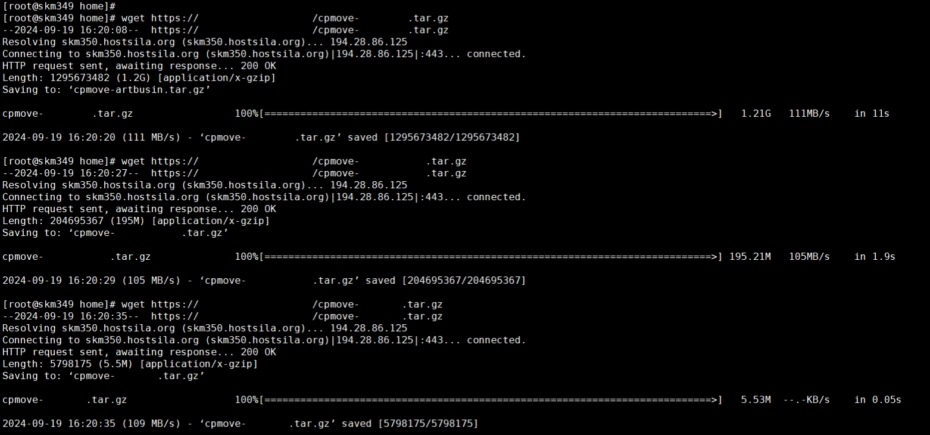
Next, we need to transfer our packed archives to another server using wget. The process of copying between servers takes:
- 1 second for a 20 MB account;
- 3 seconds for an average 500 MB account;
- 12 seconds for the largest account in our case, which is 2 GB.
To complete the account transfer process, we will unpack our 3 domains on the new server and calculate the total time spent transferring all accounts.
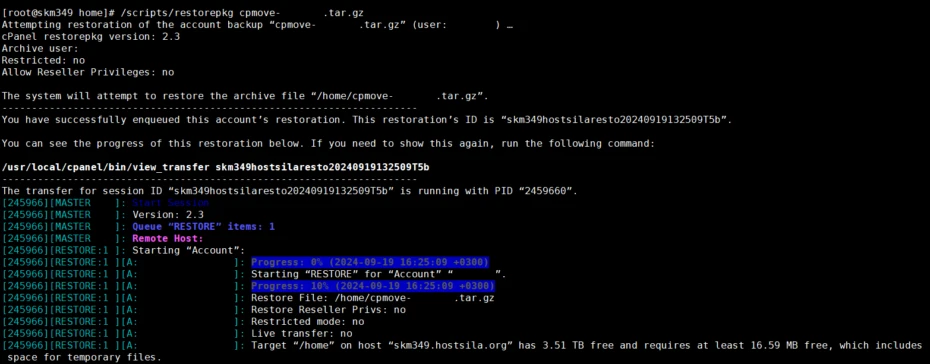
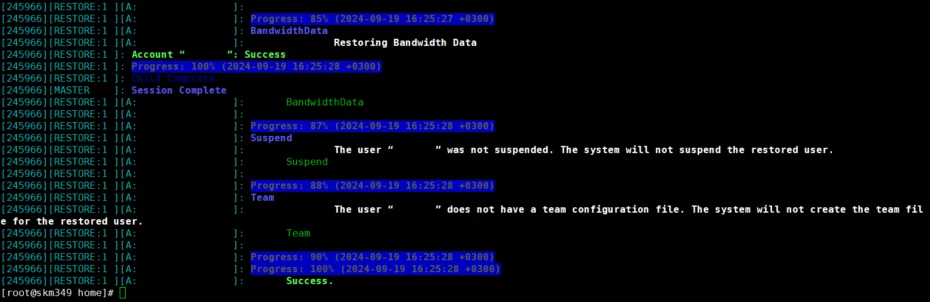
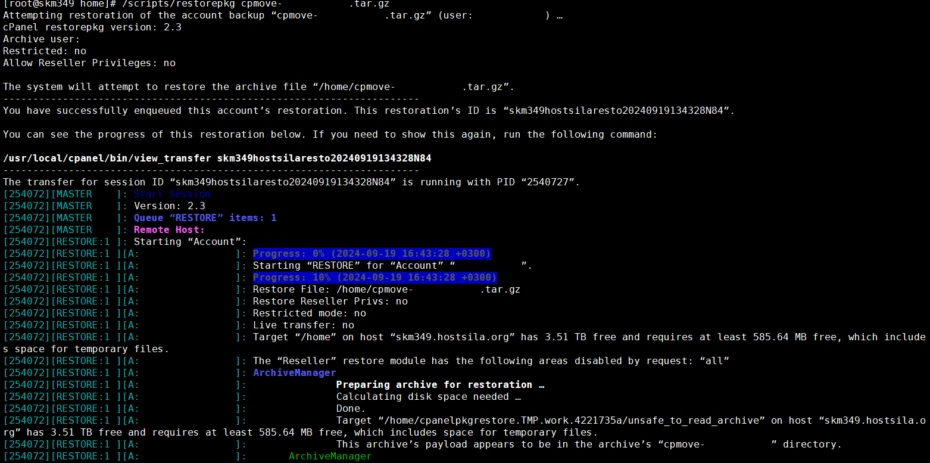
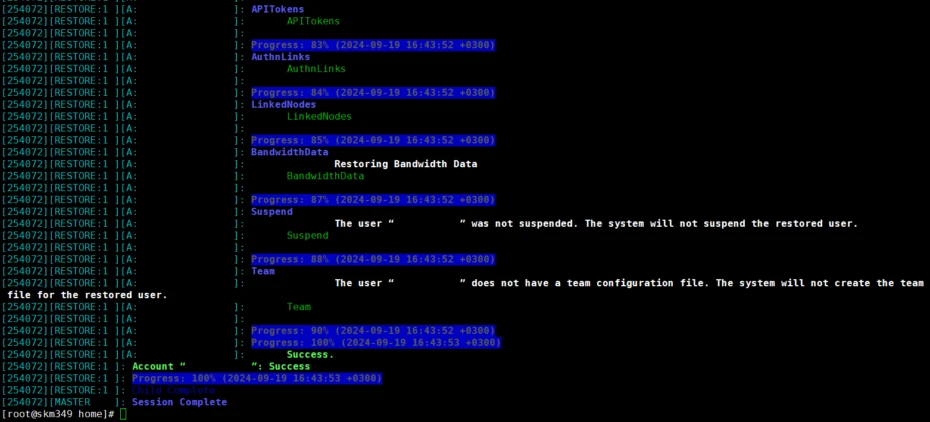
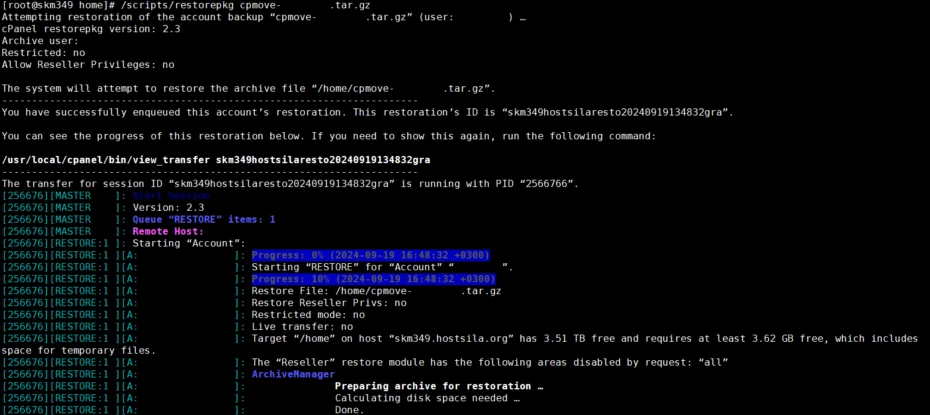
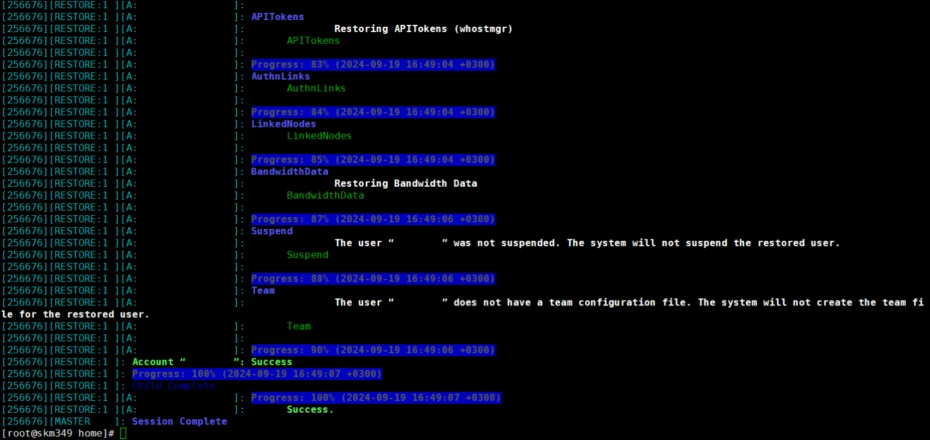
We can see that unpacking a 20 MB account took 19 seconds, a 500 MB account took 25 seconds, and a 2 GB account took 35 seconds. Now we can summarize the results.
The process of transferring a 20 MB account took a total of 23 seconds, a 500 MB account took 1 minute and 28 seconds, and a 2 GB account took 3 minutes and 47 seconds.
| Account size | Time to archive | Time to transfer the archive to another server | Time to unpack on the new server | Total transfer time |
| 20 MB | 3 sec | 1 sec | 19 sec | 23 sec |
| 500 MB | 1 min | 3 sec | 25 sec | 1 min 28 sec |
| 2 GB | 3 min | 12 sec | 35 sec | 3 min 47 sec |
*Note that “total transfer time” is the cumulative time spent performing the actions described above; however, it does not account for the human factor, specifically the execution of certain commands in the server terminal.
Therefore, when transferring data, you must also factor in the time required to prepare and analyze the data being transferred.
In conclusion
Finally, note that every website is unique, and after transferring its data, you must correctly connect the database to the new server and configure the correct paths to the website files. Of course, this may increase the time required for a successful website transfer.